3 card solitaire is classic Klondike with a twist that changes everything: each time you tap the stock, three cards are turned over and only the top one can be played. It is the version many long-time players prefer, because it rewards planning instead of just patience. On PlayToffee you can play Solitaire Turn 3 free in your browser, with unlimited redeals, undo, hints, autosave, and deals that are checked by a solver before you play them.
What is 3 Card Solitaire?
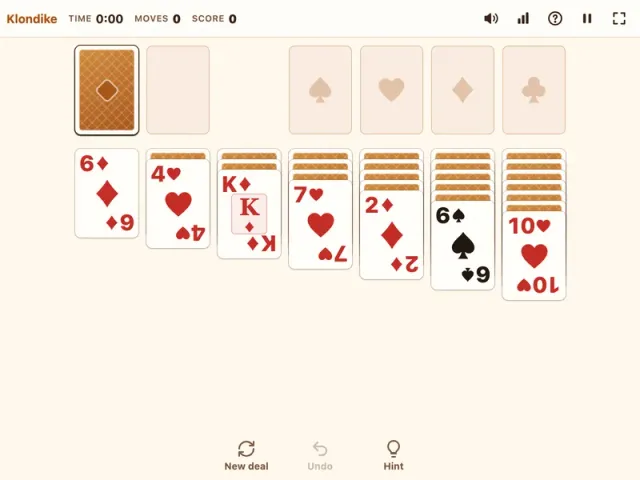
The table is the same as in standard Klondike. Seven tableau columns hold 28 cards, from one card in the first column to seven in the last, with only the top card of each face up. The other 24 cards form the stock. Your goal is to move all 52 cards onto four foundations, one per suit, from Ace up to King.
The difference is in the stock. In turn-one solitaire every stock card comes up one by one, so each card can be reached on every pass. With turn three, the stock is dealt in groups of three onto the waste, fanned so you can see them, and only the top card of the fan is playable. The two cards beneath it become available only after you play the card above. Some cards can stay buried for several passes, and every card you play from the waste shifts the groups that come up next time.
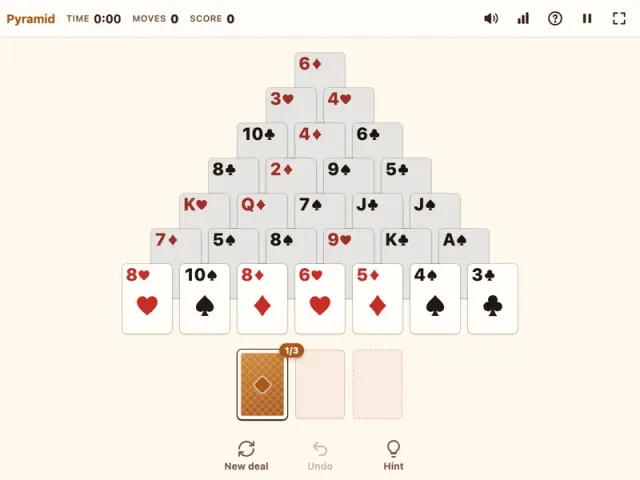
If you are new to the game, start with the gentler Klondike Solitaire, which turns one card at a time. When turn three feels comfortable, Pyramid Solitaire offers a completely different challenge.
How to Play Solitaire Turn 3
- Look at the layout. The stock and waste are at the top left, the four foundations at the top right, and the seven tableau columns below.
- Turn three cards. Tap the stock, or press Space or D. Three cards land on the waste, and the top one is ready to play.
- Build the tableau down. Place cards in descending order with alternating colours, such as a black 7 on a red 8. You can move any face-up run together if its lowest card fits.
- Use empty columns for Kings. Only a King, or a run headed by a King, can fill an empty column.
- Reveal hidden cards. When a face-down card is uncovered, it flips over by itself.
- Build each foundation from Ace to King. Cards go home in suit order: Ace, 2, 3, and so on.
- Recycle when the stock runs out. Tap the empty stock to turn the waste back into a new stock. There is no limit on passes.
- Finish automatically. When the stock and waste are empty and every tableau card is face up, the rest of the game plays itself out.
Controls
| Action | Keyboard | Mouse | Touch |
|---|---|---|---|
| Move a card or run | None | Drag it to a pile | Drag it to a pile |
| Send a card to its best spot | None | Click the card | Tap the card |
| Send a card to its foundation | None | Double-click the card | Double-tap the card |
| Turn three cards | Space or D | Click the stock | Tap the stock |
| Undo last move | Ctrl+Z / Cmd+Z | Click Undo | Tap Undo |
| Get a hint | H | Click Hint | Tap Hint |
A tap sends a card to its foundation if it can go there, otherwise to the best open spot in the tableau.
Tips & Strategies
- Go through the stock once before committing. On your first pass, just look. Note which cards are on top of each group of three, since those are the ones you can reach without changing anything.
- Every waste play shifts the groups. When you take a card off the waste, the cards that follow move up by one, so the next pass shows different cards on top. Use this on purpose to bring a buried card within reach.
- Play the tableau first. Make every useful tableau move before you turn the stock again. Each turn of three cards uses up a group you might have wanted later.
- Prioritise face-down cards. Hidden tableau cards are the main obstacle. Moves that flip a new card are almost always worth more than moves that only shuffle face-up cards around.
- Keep cards on the table as landing spots. Sending a 6 home might strand a 5 from the waste that needed it. Build foundations evenly across the suits.
- Save empty columns for Kings. Only empty a column when a King is ready to move in, preferably one that will free more cards.
- Lean on Undo and Hint. Undo lets you test a line of play and back out. The hint points at a useful move or the stock, and tells you when no useful move is left.
How Turn Three Changes the Game
Because only every third card in the stock is directly reachable on a pass, turn three is much more about timing than turn one. A card you need might sit in the middle of a group. To reach it, you play cards off the waste until the groups shift, or you recycle and hope the new order works in your favour. Strong players think a pass ahead, deliberately playing or holding waste cards to set up the next round.
Redeals are unlimited, and the penalty is light: each recycle costs −20 points instead of the −100 in turn one. The rest of the scoring is the classic scheme: +5 for waste to tableau, +10 for each card on a foundation, +5 for each card turned face up, and −15 for moving a card off a foundation, with the score never below zero. Wins that took 30 seconds or more earn a time bonus of 700,000 divided by your time in seconds.
Each deal is checked by a solver that plays by the same turn-three rules. If it cannot find a win within its search budget, another deal is tried, so nearly every game you start can be won, though not every single deal is guaranteed.
Want more solitaire? If turn three feels too punishing, switch back to Klondike Solitaire with one card at a time. For a change of pace, Pyramid Solitaire is all about pairing cards that add up to 13. Browse all of our card games for more.
Features
- Klondike rules with three cards turned from the stock at a time
- Fanned waste so you can see the top three cards
- Unlimited redeals with a light −20 penalty per recycle
- Deals checked by a turn-three solver, so almost every game can be won
- Drag and drop, tap to auto-move, and double-tap to send a card home
- Automatic finish once every card is face up
- Classic scoring with a time bonus for fast wins
- Undo, hints, and a move counter
- Personal stats with wins counted separately for each solitaire mode
- Autosave, plus phone, tablet, and desktop support with no sign-up