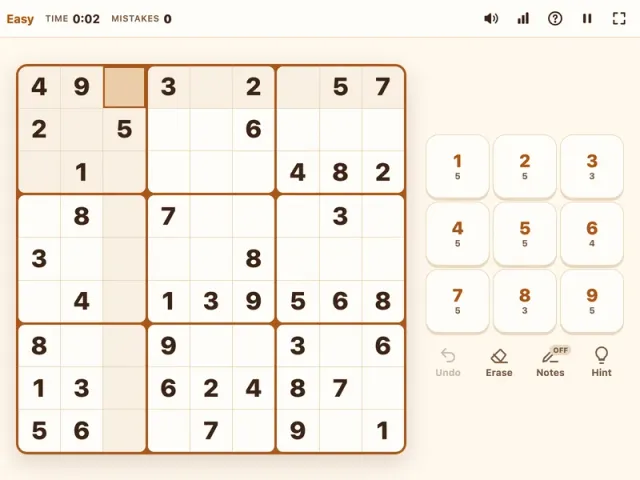
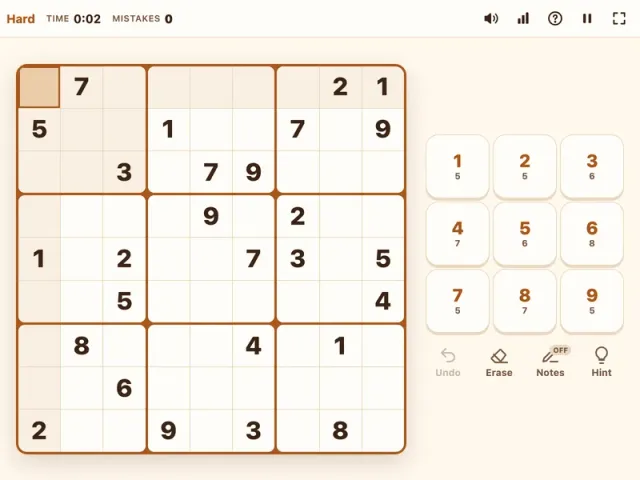
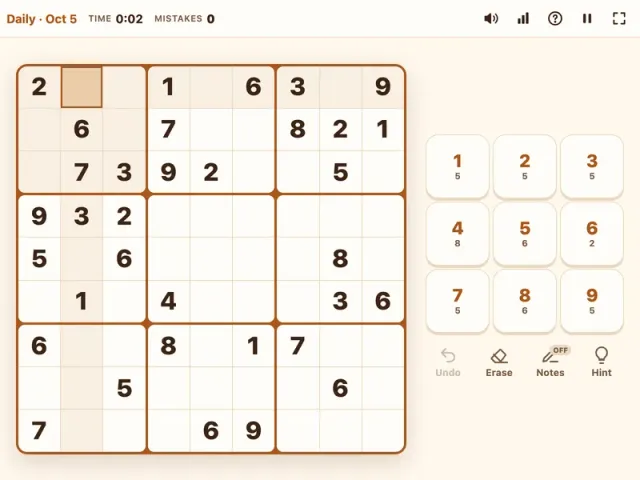
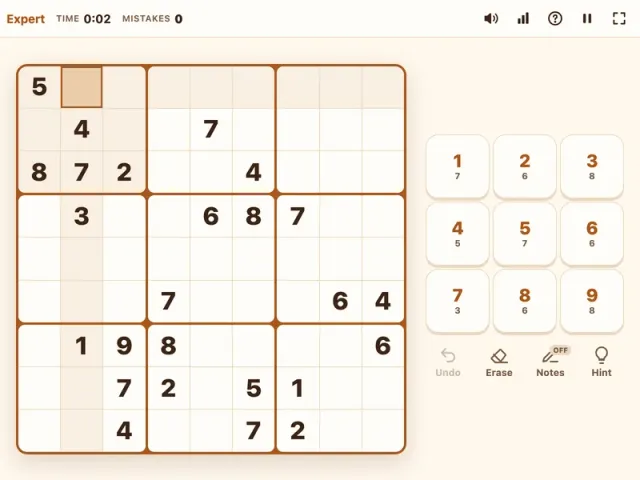
Sudoku is the classic number puzzle that needs no math at all, just clear thinking and a little patience. On PlayToffee you can play sudoku free in your browser with freshly generated puzzles, each built to have exactly one solution, plus notes, hints, and autosave so a quick break never turns into lost progress. This page starts you on Medium, the sweet spot for most players, and you can switch levels any time.
What is Sudoku?
Sudoku is a logic puzzle played on a 9x9 grid that is split into nine 3x3 boxes. Some cells start filled in; these are called givens. Your job is to fill every empty cell so that each row, each column, and each 3x3 box contains the digits 1 through 9 exactly once. The numbers are really just symbols, so you never add or multiply anything. Every move comes from reasoning about which digits are still possible in a given spot.
The puzzle became a worldwide favorite in the mid-2000s, and it has stayed popular because it scales so nicely. A beginner can finish an easy grid over a cup of coffee, while experienced solvers chase harder puzzles that call for advanced techniques. Our version is built for both: it is quick to start, it never asks you to sign up, and it remembers your game if you step away.
Medium is the default here because it hits a nice balance. You get 32 to 36 givens, enough to keep the puzzle moving, but you will need more than simple scanning to finish. If you are brand new, warm up with Easy Sudoku. If Medium feels comfortable, Hard Sudoku and Expert Sudoku are waiting.
How to Play Sudoku
- Look at the grid. You will see a 9x9 board with some numbers already placed. Those givens are locked and cannot be changed.
- Pick an empty cell. Click or tap it, or move there with the arrow keys or WASD.
- Enter a digit. Press 1 to 9 on your keyboard or tap a number on the pad. Each row, column, and 3x3 box must end up with every digit from 1 to 9 exactly once.
- Use notes when you are unsure. Press N or tap the notes button to switch into pencil mode, then add small candidate numbers to a cell. When you place a final digit, matching notes in the same row, column, and box are cleaned up automatically.
- Fix slips quickly. Erase a cell with Backspace, Delete, or 0, or undo your last move with Ctrl+Z (Cmd+Z on Mac).
- Ask for help if you are stuck. A hint reveals the correct digit for one cell.
- Finish the grid. When every cell is filled correctly, the puzzle is solved and your time and stats are saved.
Controls
| Action | Keyboard | Mouse | Touch |
|---|---|---|---|
| Select a cell | Arrow keys or WASD | Click the cell | Tap the cell |
| Enter a number | 1–9 | Click a number on the pad | Tap a number on the pad |
| Erase a cell | Backspace, Delete, or 0 | Click Erase | Tap Erase |
| Toggle notes (pencil) mode | N | Click Notes | Tap Notes |
| Undo last move | Ctrl+Z / Cmd+Z | Click Undo | Tap Undo |
| Get a hint | H | Click Hint | Tap Hint |
Tips & Strategies
These are the techniques that will carry you through almost any Medium sudoku.
- Scan for the most common digit first. Count how many of each number are already on the board. If seven 4s are placed, the last two 4s are usually easy to find. Cross-hatch by tracing the rows and columns that already hold a 4 and see which box has only one open spot left.
- Hunt for naked singles. A naked single is a cell where only one digit is possible once you rule out everything in its row, column, and box. Cells in crowded rows and boxes are the best places to look.
- Look for hidden singles. Sometimes a cell has several candidates, but one digit can only go in one place within a row, column, or box. That digit is "hidden" among other options, and it is a single all the same. Medium puzzles lean on this technique a lot.
- Pencil in candidates once scanning dries up. When you stop finding easy placements, add notes to the emptiest areas. Because our notes clean themselves up when you place a digit, keeping a full set of candidates costs very little effort.
- Spot naked pairs. If two cells in the same unit both contain exactly the same two candidates, say 3 and 7, then those two digits must go in those two cells. You can remove 3 and 7 from every other cell in that row, column, or box.
- Use pointing pairs. If, inside a box, a candidate only appears in cells that share one row, that digit must sit in that row within the box. That means you can erase it from the rest of that row outside the box.
- Never guess. Every puzzle here has one unique solution reachable by logic. If you feel tempted to guess, step back and rescan the unit with the fewest open cells.
- Treat hints as a lesson. If you use a hint, ask yourself why that digit belongs there. Finding the reason teaches you the pattern for next time.
Choosing a Sudoku Difficulty
Every level on PlayToffee uses the same rules and the same tools. What changes is how many numbers you start with and which techniques you will need.
- Easy Sudoku starts with 40 to 45 givens. You can usually solve it with scanning and singles alone, which makes it perfect for beginners, kids learning logic, or a calm five-minute break.
- Medium (this page) starts with 32 to 36 givens. Expect to use notes, hidden singles, and the occasional pair.
- Hard Sudoku starts with 27 to 31 givens. You will need candidate notes for most of the grid and techniques like pointing pairs and box-line reduction.
- Expert Sudoku starts with just 23 to 26 givens. This is the place for advanced patterns such as X-Wing and long stretches where only careful candidate work moves you forward.
- Daily Sudoku is one medium puzzle per day, the same for everyone worldwide, with its own daily streak.
A simple rule of thumb: if you finish a level several times in a row without hints, move up one step. If you find yourself stuck for long stretches, drop down a level and focus on spotting singles faster. Your personal stats track games played, win rate, best time, and streaks, so you can see your progress over time.
Looking for something different between puzzles? Browse more brain teasers in our puzzle games, or try the number-clue logic of Hex Mine 3D.
Features
- Freshly generated puzzles, each with a single unique solution
- Five ways to play: Easy, Medium, Hard, Expert, and a Daily puzzle
- Notes (pencil) mode with automatic cleanup of notes when you place a digit
- Undo, erase, and hints that reveal one cell at a time
- Mistakes counter with no game over, so you can keep going
- Built-in timer and personal stats: games played, win rate, best time, and streaks
- Autosave: refresh or close the page and continue later
- Full keyboard controls plus mouse and touch support
- Dark mode for comfortable night-time solving
- Works on phones, tablets, and desktops, with no download and no sign-up