The Drink the Ocean game hands you a straw, points you at the sea, and asks a silly question with a straight face: how long would it take to drink all of it? You play it free in your browser, right on this page, with no download and no Steam account. It is a blocky first-person incremental game. You sip water at the shore, squeeze it into salt, spend the salt on a bigger belly and better straws, and watch the tide line creep down until things that were never meant to be seen start poking out of the water.
Is the Drink the Ocean game on Steam?
Many people search for "Drink the Ocean game Steam" expecting a store page. As of November 15, 2026, we could not find one. A search of the Steam store for the title returns nothing, and no Steam release date or price has been announced. Drink the Ocean is a browser game made by Pinidi Studio and published through Playgama on November 9, 2026.
The good news is that you do not need Steam to play it. The full game runs in a browser tab on a desktop computer, a phone or a tablet. If a Steam version is announced, we will update this page.
How to Play Drink the Ocean
- Press Play, then Let's Play. The game loads in the player above. On a computer, click inside the game so it can capture your mouse.
- Walk to the shore. Use W, A, S and D to walk down the beach to the water's edge.
- Hold to drink. Hold the left mouse button, or the DRINK button on a phone. Your belly meter fills as the water goes down.
- Visit the PRESS. When you are full, walk back and stand under the machine labeled PRESS. It squeezes the water out of you and turns it into salt, the game's currency.
- Spend salt at the SHOP. Step on the blue SHOP pad to buy upgrades: a bigger belly, extra straws, and later new tools.
- Repeat and go deeper. Each trip lowers the ocean a little more. Keep going until you reach the plug at the bottom.
Press T at any time to go home quickly, and press Tab if you need your mouse cursor back.
Upgrades and Tools
Everything in the shop makes one of two things better: how much you carry, or how fast you drink.
| Upgrade | What it does |
|---|---|
| Bigger belly | Lets you hold more water before you have to return to the PRESS |
| Extra straws | More straws at once, so you drain water faster |
| Mouth vacuum | A new tool for pulling in water |
| Pocket whirlpool | Another tool unlocked later in the shop |
Switch between the tools you own with the 1, 2 and 3 keys. A Sky Duck also drops by with gifts; press E to open them and collect a boon. The game tracks achievements as you play.
What Is Under the Water?
The reward for all that drinking is the view. As the level falls, the seabed is revealed in stages:
- A shipwreck is the first big find, not far below the starting waterline.
- A whale skeleton appears deeper down.
- A sunken city is exposed as the ocean gets close to empty.
- The plug sits on the ocean floor. Pull it and the run starts over with a new, stronger ocean. You choose what it is made of: cola, lemonade, slime or lava.
Controls
| Action | Keyboard and mouse | Touch |
|---|---|---|
| Move | W, A, S, D | On-screen stick |
| Look | Move the mouse | Drag the screen |
| Drink | Hold left click | Hold DRINK |
| Jump | Space | Jump button |
| Switch tools | 1, 2, 3 | Tap the tool |
| Go home | T | On-screen button |
| Open the duck's gifts | E | Tap the gift |
| Settings | P | Settings button |
| Free the mouse | Tab | Not needed |
Tips and Strategy
- Balance belly and straws. If you spend most of a trip walking, buy belly. If you spend most of it standing at the shore, buy straws. Check again after every purchase, because the answer flips often.
- Use T to go home. As the water recedes, the walk back to the PRESS gets longer. The home shortcut saves a lot of time in the later stages.
- Do not leave with a half-full belly. Each trip has a fixed walking cost, so fill up completely before heading back.
- Open every duck gift. The Sky Duck's boons are free. Press E as soon as one appears.
- Try each new tool. The mouth vacuum and the pocket whirlpool work differently from the straw. Switch with the number keys and keep the one that drains fastest for you.
- Pull the plug when you reach it. Starting a new ocean is how the game keeps growing, and the new liquids are half the fun.
- Play in fullscreen. It is a first-person 3D game, and a larger view makes the shoreline and the shop pads easier to find.
Why Play Drink the Ocean on PlayToffee?
Drink the Ocean works because the joke is also a good game loop. Trips are short, every upgrade is felt on the very next visit to the shore, and the falling waterline is a progress bar you can actually walk around in. It is relaxing in the way good incremental games are: there is no timer, no enemy and no way to lose, only the next thing to uncover.
Here it loads straight in the page with nothing to install, on desktop or mobile. PlayToffee did not make the game. It belongs to Pinidi Studio, and we embed it with the embed link Playgama provides for websites, with a link back to the original page.
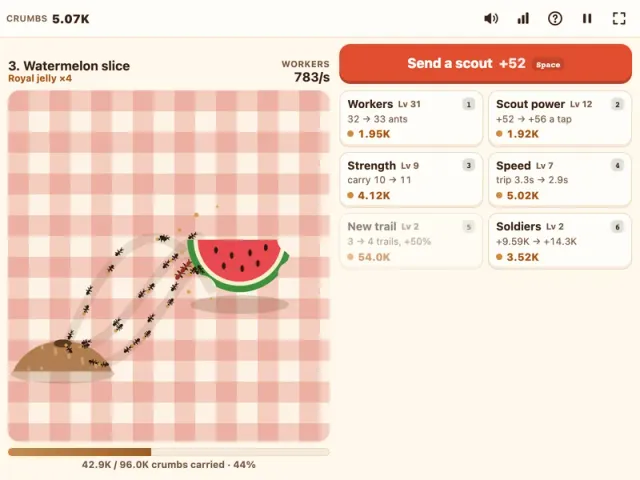
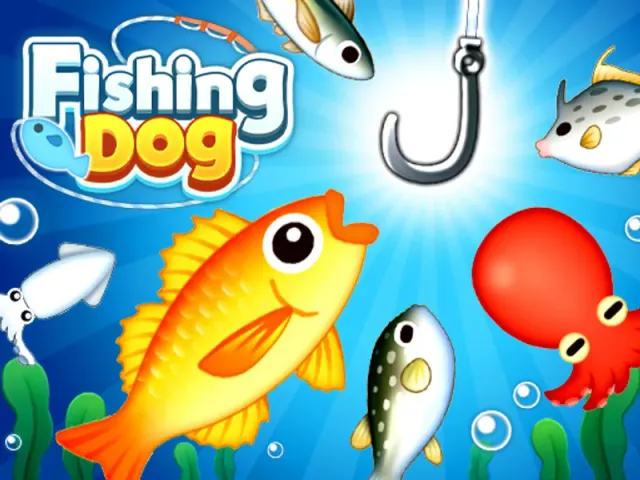
If you like the water theme, Fishing Dog is a light fishing game with the same easygoing pace. For another 3D game about uncovering what is hidden, try Hex Mine 3D. If you enjoy watching a big pile shrink one upgrade at a time, Crumb Colony is our own idle game about ants carrying a picnic home. You will find more relaxed picks in our casual games collection.
Features
- First-person blocky 3D world with a whole ocean to drain
- Simple loop: drink, press water into salt, upgrade, repeat
- Upgrades for belly size and straws, plus a mouth vacuum and a pocket whirlpool
- A shipwreck, a whale skeleton and a sunken city hidden under the water
- Pull the plug to start a new ocean of cola, lemonade, slime or lava
- Sky Duck gifts and achievements
- Free in your browser on desktop, phone and tablet, with no download and no Steam account